TokensCounter
Counts [chatgpt] tokens of selected text and presents it in phantom.
Installations minus removals
Upgrades
- 205 installs
- 7 stars
Links
Versions
2026.10.07.13.40.13
(ST4205+)
·
2.0.0
(ST4000+)
·
More
-
(ST4000+)
1.0.2
·
2026-10-07 13:04
Sublime [chatgpt] Token Counter
Version 2.0.0 requires Sublime Text build 4205 or newer and runs in the Python 3.14 plugin host. Install with Package Control 4 so the required Python 3.14 libraries are installed.
Pretty plain plugin that counts chars and tokens in selected text and presents it onscreen before the selection itself.
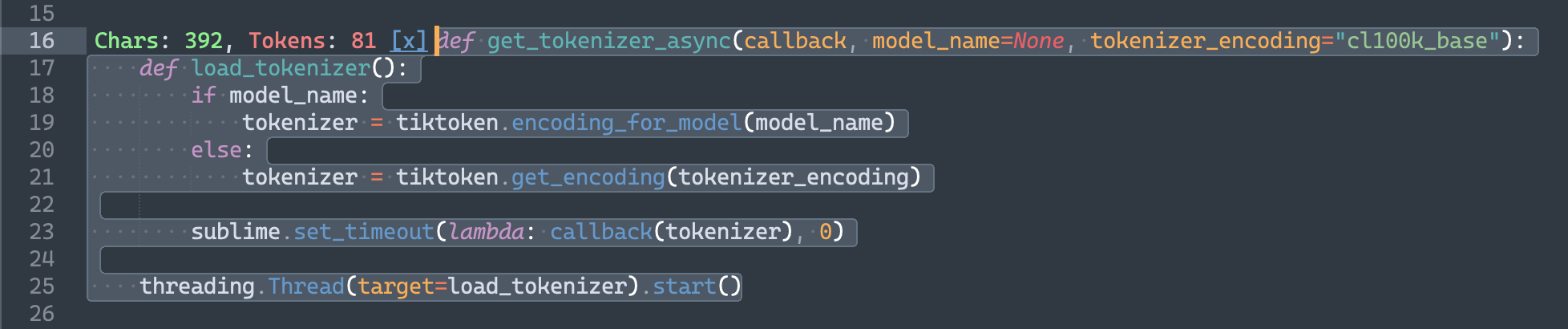
It has single command "tokens_count" that takes no attributes and toggling tokens count on a given selection in view. Multi-selections supported.
Open Preferences → Package Settings → Tokens Counter → Settings to configure the counter.
Settings are read from TokensCounter.sublime-settings. A non-empty model_name takes
precedence over tokenizer_encoding. The default model is gpt-4o; to select an encoding
explicitly, set "model_name": null and choose tokenizer_encoding.